|
Creating a Camt.110 Wire Investigation Request |
  

|
Navigation: Creating ISO Wires >
Creating a Camt.110 Wire Investigation Request
|
Creating a Camt.110 Wire Investigation Request |
|
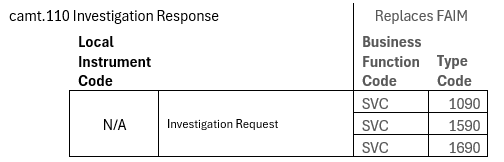
An Investigation Request (camt.110) can be created without a Local Instrument Code:
1.On the Inbound tab, check the selection box at the left of the wire number.
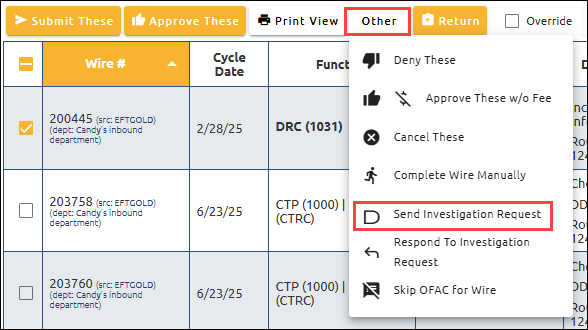
2.Click <Other> and select "D Send Investigation Request" from the drop-down menu.
. .
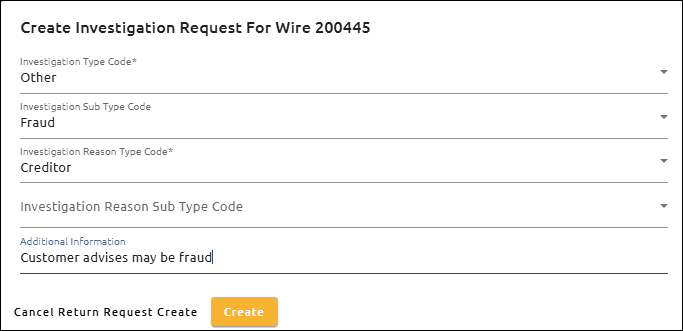
The Create Investigation Request For Wire dialog box opens.
3.Select the Investigation Type Code, Investigation Sub Type Code, and Investigation Reason Type Code.
4.Enter any Additional Information and click <Create>.
Investigation Sub Type Code, Investigation Reason Sub Type Code, and Additional Information are optional.
A camt.110 Investigation Request is created on the Outbound tab in an “Approved” status.