|
Creating a Pacs.009 Financial Institution Credit Transfer Wire |
  

|
Navigation: Creating ISO Wires >
Creating a Pacs.009 Financial Institution Credit Transfer Wire
|
Creating a Pacs.009 Financial Institution Credit Transfer Wire |
|
A Financial Institution Credit Transfer wire (pacs.009) can be created with the following Local Instrument Codes:
Replaces FAIM |
|||
Local Instrument Code |
Business Function Code |
Type Code |
|
BTRC |
Core Bank Transfer |
BTR, CKS, DEP, FFS, FFR |
1600 |
BTRD |
Bank Drawdown Transfer |
DRW |
1632 |
BTRS |
Special Account Customer Transfer |
BTR |
1500 |
COVC |
Core Cover Payment |
CTP |
1600 |
COVS |
Special Account Cover Payment |
CTP |
1600 |
1.Click the <+New Wire/Template> button.
2.Select the Department, Function, and Local Instrument, then click <Next>. .

3.Enter the Instructed Agent information and the Amount. (The Instructing Agent is defaulted with your institution.)
4.Debtor
Enter the Debtor/Your Institution’s Account Number, Name, and Address.
Your core may auto-populate data when you select an account-name combo. Party Identification for international wires triggers a Dodd Frank notice.

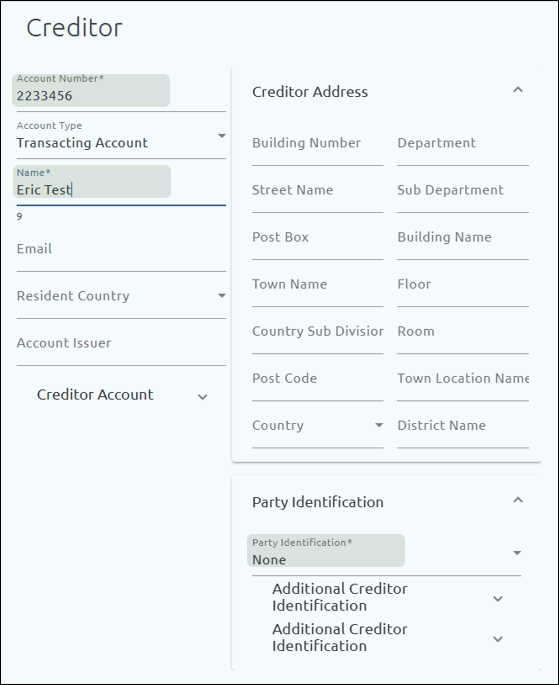
5.Creditor
Enter the Creditor/Receiving Institution’s Account Number, Name, Address, and Party Identification as needed.
For the address, the Town Name and Country are required; the other fields are optional.
Debtor Agent
These values are defaulted from the Instructing Agent fields. Unless you originate wires for other financial institutions, this will always be your institution information.
Creditor Agent
These values are defaulted from the Instructed Agent fields.
6.Enter the Creditor Agent Name, Member Identification Type, Member Identification (routing number or transit code), or the BICFI (SWIFT code if this institution is outside of the United States).
If the BICFI is entered, the Member Identification Type should be set to “None,” and Creditor Agent Name and address fields are not required.
7.Enter the Creditor Agent Address information. The Town Name and Country fields are required; the other fields are optional.

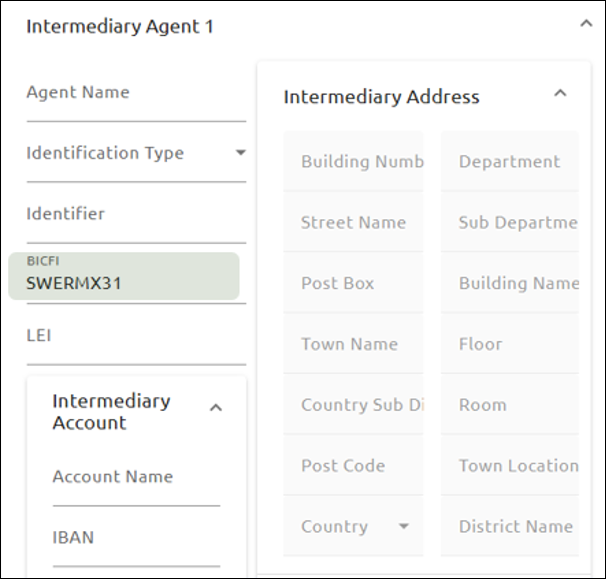
Intermediary Agent 1
8.If the Creditor Agent uses an intermediary bank to receive wires from the Instructed Agent (correspondent bank), enter the Agent Name, Member Identification Type, Identifier (routing number or transit code), or the BICFI (SWIFT code if this institution is outside of the United States).
If the BICFI is entered, the Identification Type should be set to “None,” and the Agent Name and address fields are not required.
9.Enter the Intermediary Address information. The Town Name and Country are required; the other fields are optional.
Intermediary Account fields are available to fill in as specified in the wire instructions.
Intermediary Agent 2, Intermediary Agent 3
Up to three intermediary agents can be used. Repeat steps 8, 9, and 10 for each agent.
Ultimate Creditor
10.If the Creditor is receiving the wire on behalf of another party, enter the Ultimate Creditor Name, Resident Country, and Ultimate Creditor Address information. For the address, the Town Name and Country are required; the other fields are optional.
11.Enter any additional information in the Additional Ultimate Creditor Identification. Up to two identifiers can be entered.

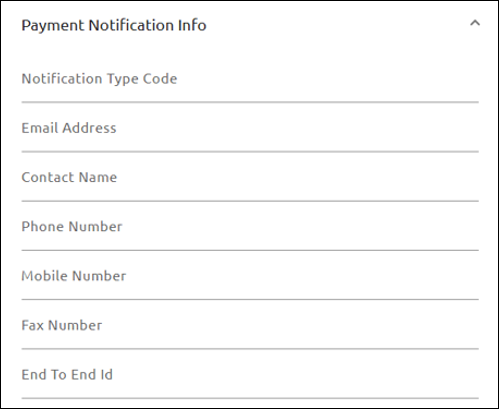
Payment Identification
12.Enter these fields if requested.
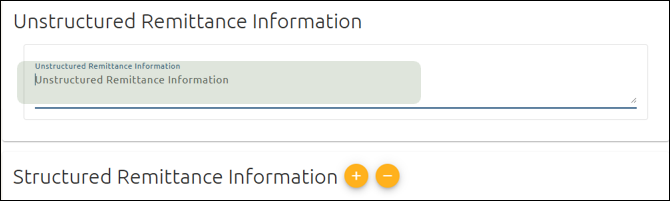
13.Unstructured Remittance Information
Enter the Originator to Beneficiary Information in this field.
If Structured Remittance Information is used, this option will be unavailable.
14.Structured Remittance Information
Enter structured remittance information as requested. You are limited to one structured record.
If Unstructured Remittance Information is used, this option will be unavailable.
15.Release Time
Accept the default value in the Release Method field.
Please consult your internal policies and procedures before making changes to the default value. The release time cannot be edited after the wire is created.

16.Click <Create Wire> or <Create and Submit Wire>. .
Once the wire is approved, it will be sent.