|
Store-and-Forward |
  

|
Navigation: »No topics above this level«
Store-and-Forward
|
Store-and-Forward |
|
With Store-and-Forward, you can tag a wire to instruct the system to attempt the transaction portion later without causing a delay in processing and sending the wire. If you would like to use the Store-and-Forward functionality, please reach out to your Customer Service team to get started because new special security groups will need to be set up.
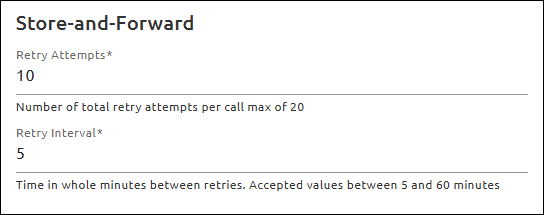
To use Store-and-Forward, enter information in the Store-and-Forward field group on the EFT GOLD Admin Options screen (see the example below).
1.In the Retry Attempts field, enter the number of times you want the Store-and-Forward process to automatically attempt to post the transaction. The maximum number that can be entered in this field is 20. If you do not want the Store-and-Forward process to run automatically, enter 0 in this field.
2.In the Retry Interval field, enter a number from 5 to 60 for the number of minutes between attempts.
Tagging a Wire
There are three different ways to tag a wire to use Store-and-Forward:
•Mark the Use Store-and-Forward checkbox on the Wire Create screen Preliminary Information field group,
•select a wire on the dashboard and click Other > Use Store-and-Forward, or
•automatically use a Custom Rule.
Only individuals with the new security permission will be able to manually mark a wire to use Store-and-Forward.
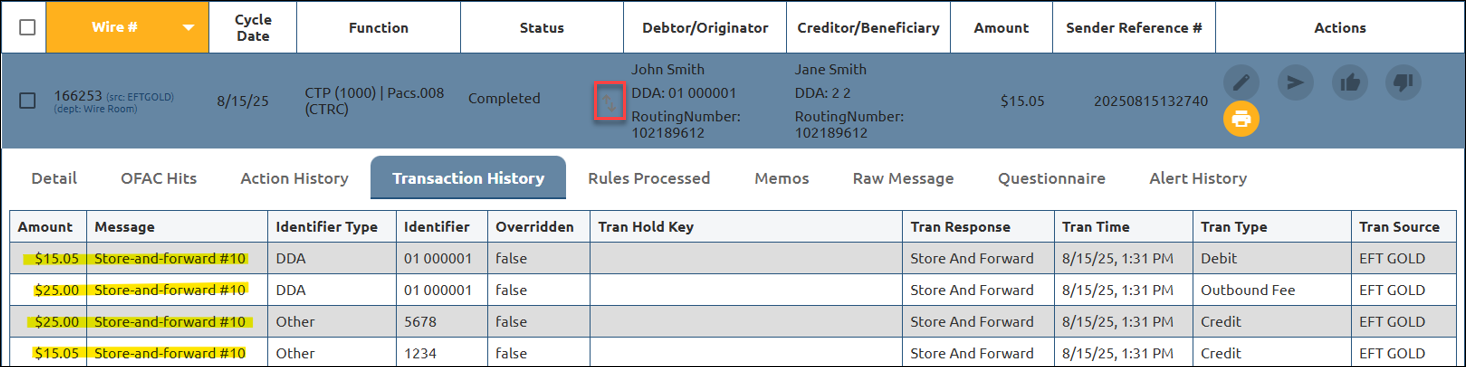
Once a wire has been tagged as Store-and-Forward, an icon ( ) will appear on the dashboard in the location outlined in red below. In addition, the Transaction History screen will show that the wire is using Store-and-Forward for the transaction process.
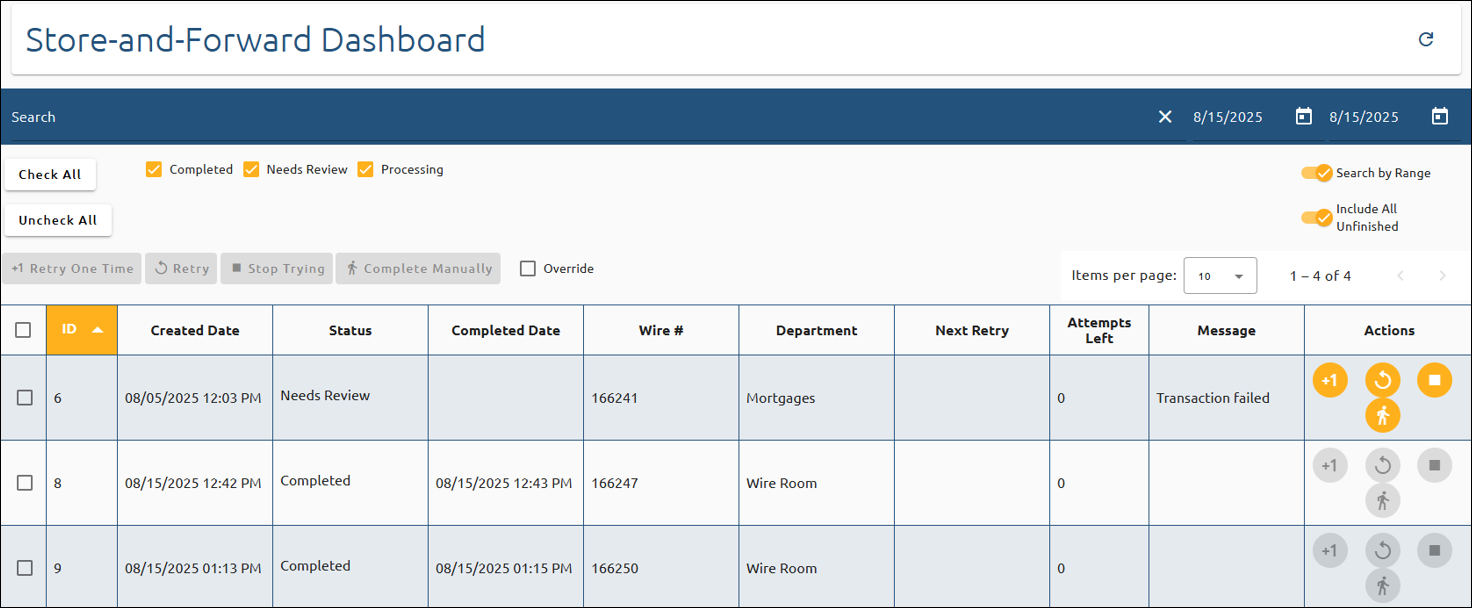
You can view and manage your Store-and-Forward items on the Store-and-Forward screen. To open this screen, click on Store-and-Forward on the main menu. This screen lets you view current items in the Store-and-Forward queue, view previously completed items, and take actions on outstanding items.
Use the buttons above the wire list to manually retry an item one more time, retry the entire process again, temporarily pause the process, or complete the item manually, indicating that manual entries will be performed.
.