Deploy Log tab |
  

|
Navigation: GOLDDeploy Management Screen >
Deploy Log tab |
|
The Deploy Log tab displays the history of changes to the system and logs of both failed and successful installations on target machines. Use the Log Selection Filters at the top of the screen to search for specific details and limit what shows in the list. You can also display a detailed report for any item in the list.
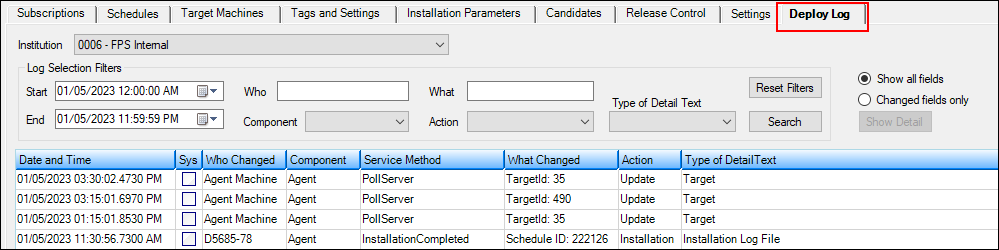
•<Show Detail> – Click this button after selecting an entry in the list view to see details about the selected item. You can also double-click the item for the detail report. For items that have been changed, the fields of the record before and after the change are displayed. Either all fields or changed fields only display, depending on the radio button setting. For items that are reporting actions at a target machine, the log of the installation is shown.
Three examples of detail reports are shown below.

Changed Fields Only Maintenance Report
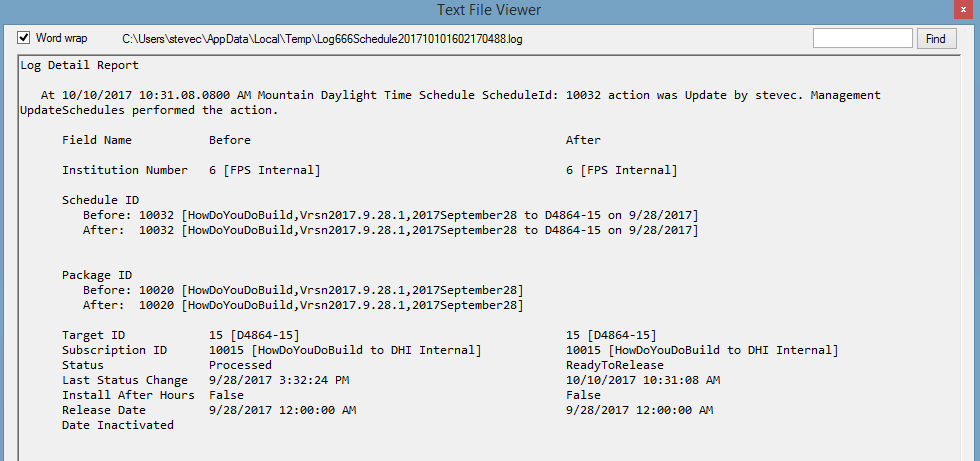
All Fields Maintenance Report

Installation Log File