Real-Time Alerts |
  

|
Navigation: Dashboard >
Real-Time Alerts |
|
Real-time Alerts in CoreView GOLD are sent immediately to institution employees when a triggering event occurs. Triggering events are determined by the rules in the Alert Setup screen.
There are alerts for both Deposits and Loans. See the example below.
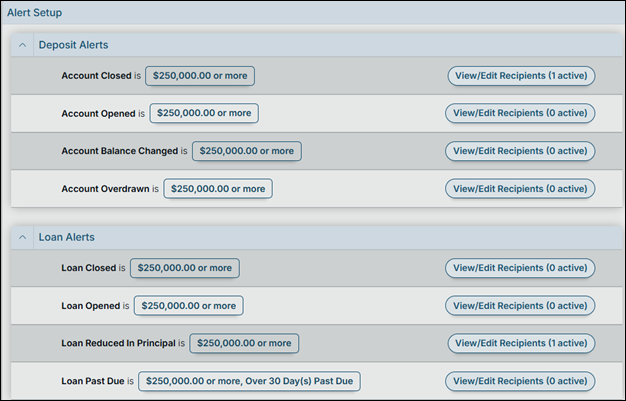
When a triggering event occurs, anyone whose email address is entered in the Email field will receive an email alert.
The example above shows four alert rules for Deposit Alerts:
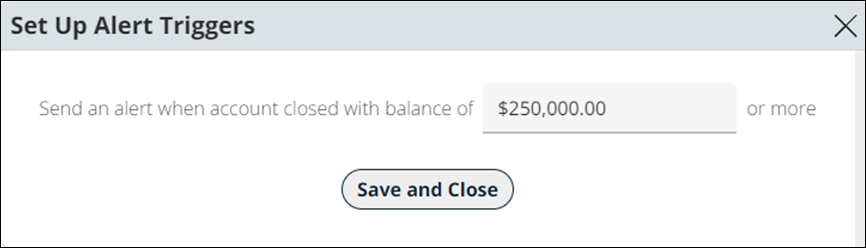
•An Account Closed alert will be sent to users in the email list whenever an account is closed that had $250,000.00 or more in it.
•An Account Opened alert will be sent to users in the email list whenever an account is opened with $250,000 or more.
•An Account Balance Changed alert will be sent to users in the email list whenever an account balance has changed by $$250,000 or more.
•An Account Overdrawn alert will be sent to users in the email list whenever an account is overdrawn by $250,000 or more.
Loan alerts can be sent when a triggering event occurs. Triggering events are determined by the rules in the Alert Setup screen. The following alerts are currently available for Loan Alerts:
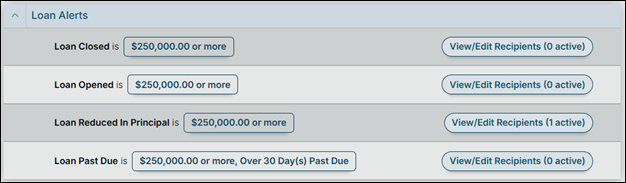
A Loan Closed alert will be sent to users in the email list whenever a loan is closed that had an outstanding balance over the rule amount. In the example below, this amount is $250,000.
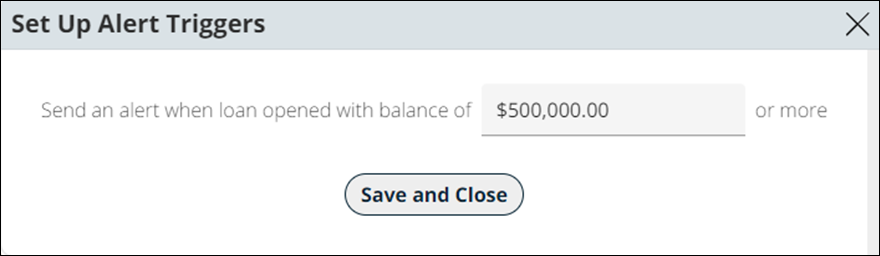
A Loan Opened alert will be sent to users in the email list whenever an account is opened with an amount equal to or greater than the rule amount. In the example below, this amount is $500,000.
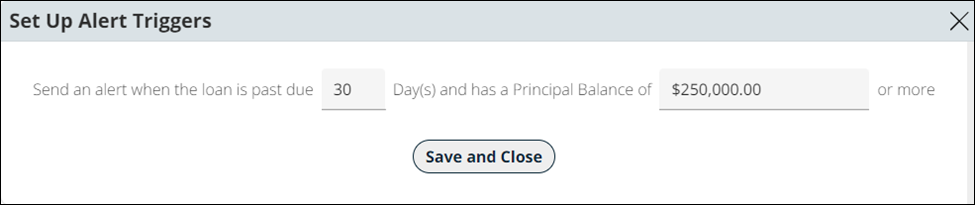
A Loan Past Due alert will be sent to users in the email list whenever an account is over a selected dollar amount and over a selected number of days past due. In the example below, the trigger is for accounts over $250,000 and 30 days past due.
This alert is sent for all loans that meet the criteria at the same time each day. Once the trigger is activated, it is held in a queue until the designated time your institution has set to send the alert (such as 8:00 a.m.).
If your institution chooses to have the alerts sent before 12:00 p.m., the information sent will reflect the delinquency on the loan from the previous day. If your institution chooses to have the alerts sent after 12:00 p.m., the delinquency date would be for that day.
FPS GOLD Only: If an institution would like to exclude specific delinquent loans from receiving an alert due to a Hold Code, this can be requested via a work order and will require programmer assistance to change the JCL (ref: CMF 10184).
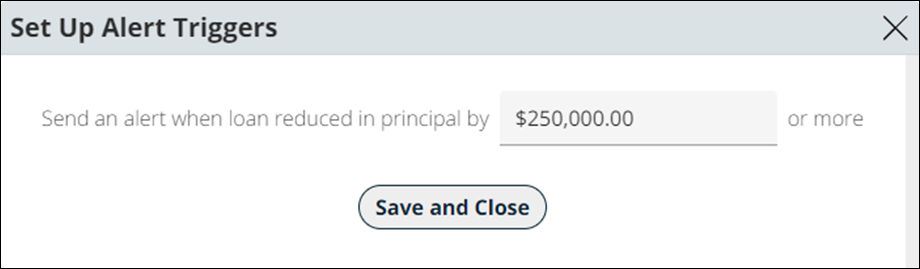
A Loan Reduced in Principal alert will be sent to users in the email list whenever a loan has a principal reduction equal to or greater than the selected amount. In the example below, the trigger will send an alert when the principal is reduced by at least $250,000.
Defining Rules
Each institution will determine its rules based on a template provided by FPS GOLD that includes the following fields.
Feature |
Description |
Send |
This is the name of the alert to be sent. |
When |
This is a dollar limit for the transaction that triggers the alert if exceeded. |
<Email> button |
Click this button to make the associated email address active to receive alerts. |
Email addresses |
These are the email addresses for all recipients of the alerts. |