|
Departments |
  

|
Navigation: Administrative Options >
Departments
|
Departments |
|
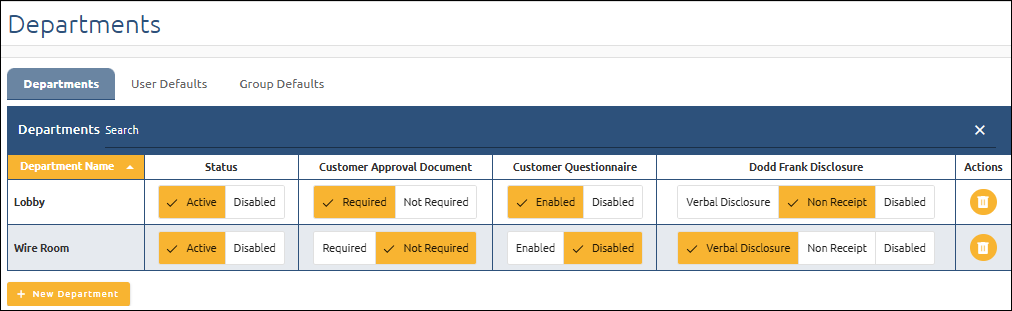
The Departments tab shows a list of information for all departments, including the following:
•Department Name
•Status – Active or Disabled
•Customer Approval Document – Required or Not Required
•Customer Questionnaire – Enabled or Disabled
•Dodd Frank Disclosure – Verbal Disclosure, Non Receipt or Disabled.
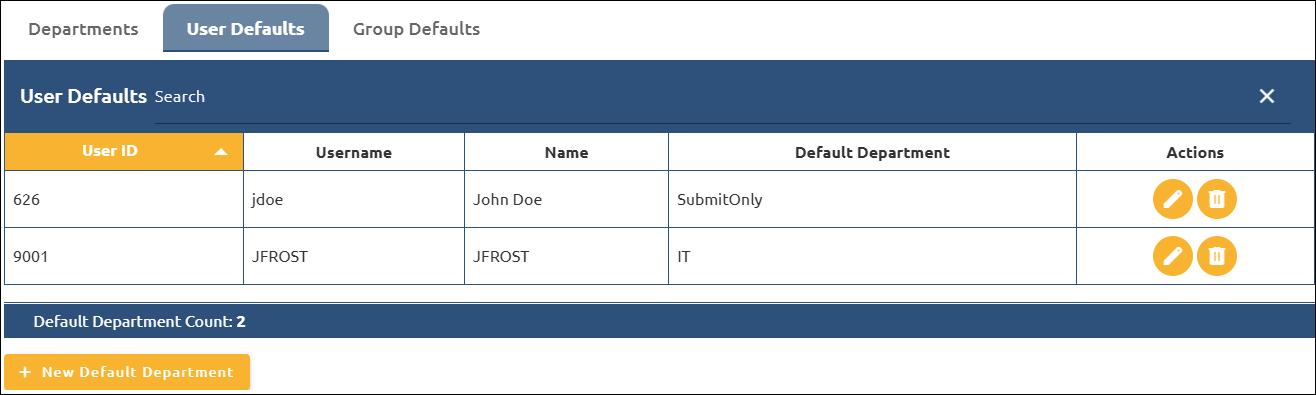
The User Defaults tab shows a list of all the user default departments that have been set up on the system.
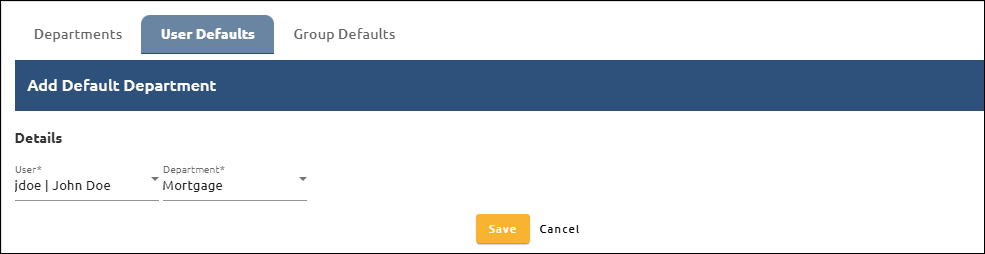
To set up a new User Default Department:
1.Click  .
.
The Add Default Department fields open.
2.In the Details section, select a User and a Department.
3.Click <Save>.
or
Click <Cancel> return to the User Defaults list without saving.
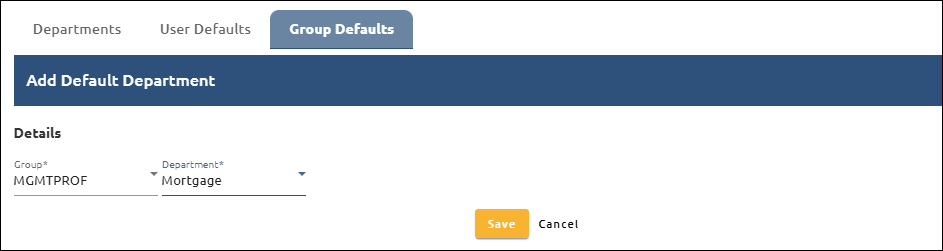
The Group Defaults tab shows a list of all the group default departments that have been set up on the system.
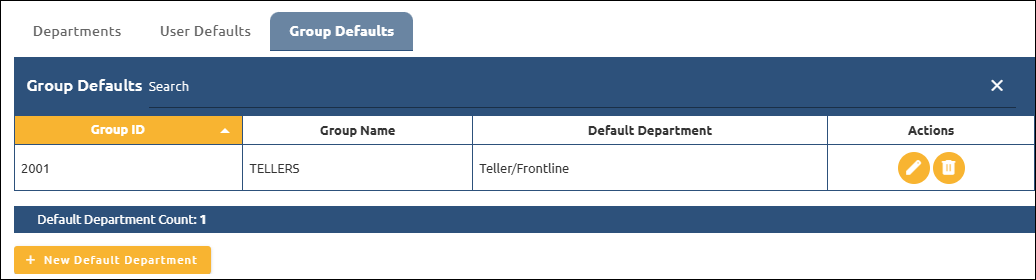
To set up a new Group Default Department:
1.Click  .
.
The Add Default Department fields open.
2.In the Details section, select a Group and a Department.
3.Click <Save>
or
Click <Cancel> return to the User Defaults list without saving.