|
How to Return a Wire in EFT GOLD |
  

|
Navigation: Using the Dashboard > Handling Inbound Wires > Details, Actions, and Errors for Inbound Wires >
How to Return a Wire in EFT GOLD
|
How to Return a Wire in EFT GOLD |
|
The following steps explain how to return a wire in EFT GOLD.
If you want to add information to the wire before returning it, click the Memos tab to add it.

Once comments are added, you can return the wire.
To return the wire in the Inbound view:
1.Check the box to the left of the wire number.

2.Click the <Return> button next to the <Other> button.

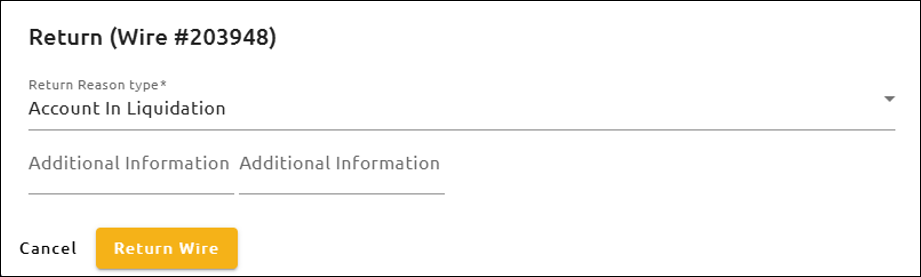
3.A Return Reason dialog box opens (shown below). In this box, select a Return Reason Type from the drop-down list, enter any Additional Information (if needed), and click <Return Wire>. Click <Cancel> or click outside of the Return Reason dialog box to disregard the changes and close this dialog box.
After clicking <Return Wire>, the wire will now be in a "Pending Return" state and it will need to be approved for the return.
Approving the return will create an outbound wire with all the information populated and place it in a "Submitted" state. The wire will then have to be approved to be processed. If the return outbound needs to be edited, the state needs to be changed to a "Denied" state. After changes are made, it will need to be submitted and approved again.