|
OFAC Hits tab |
  

|
Navigation: Using the Dashboard > Handling Inbound Wires > Details, Actions, and Errors for Inbound Wires >
OFAC Hits tab
|
OFAC Hits tab |
|
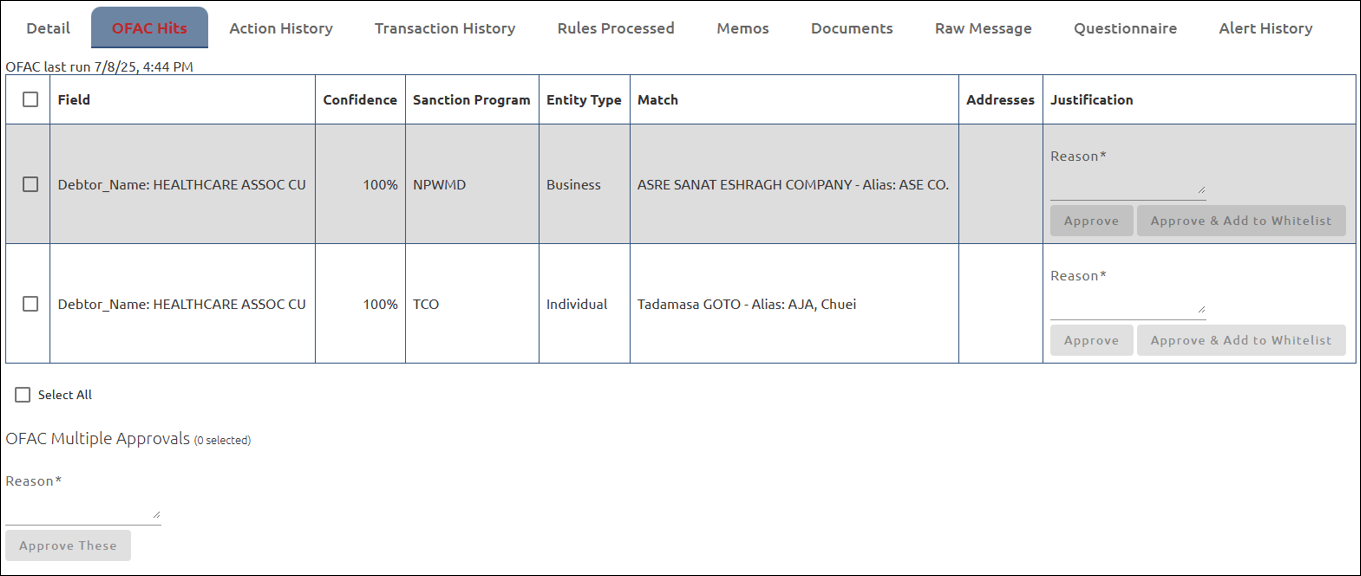
The OFAC Hits tab displays possible matches. If there are OFAC Hits, the tab will be red.
If the wire passed the OFAC check because of your Whitelist, the Justification column for that item will show the following:  .
.