COReIP |
  

|
Navigation: GOLDDeploy Management Screen > Products that Require Special Setup >
COReIP |
|
This section explains how to use Tags and Installation Parameters to install COReIP.
To set up COReIP installation parameters:
1.Open the GOLDDeploy Management screen in CIM GOLD.
2.Click on the Installation Parameters tab.
3.From the Product drop-down list, choose the COReIP product.
4.Set up the desired parameters. (See the examples below.)
LocationID is always assigned by Target because it is unique to each target machine. The other parameters could be set up using a Tag unique to the COReIP product.
Valid Installation Parameters:
•LocationID
•HostAddress
•HostPort
•AlternateHostName
•AlternateHostAddress
•AlternateHostPort
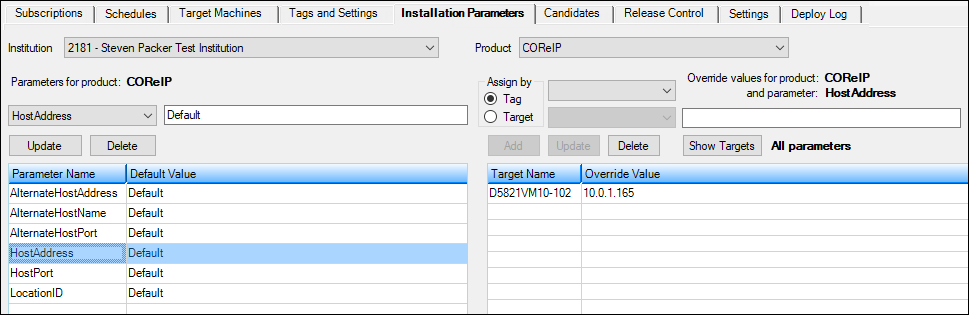
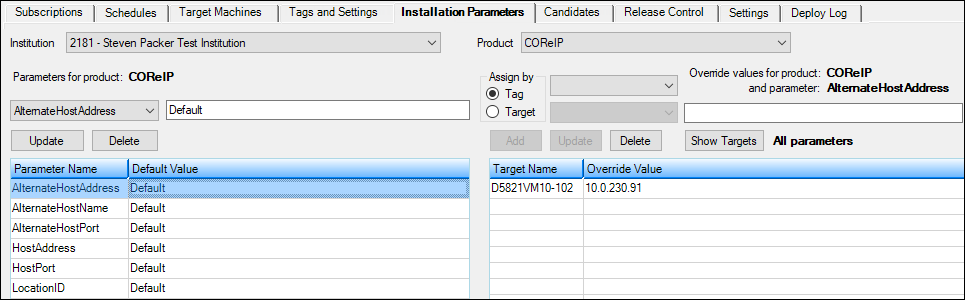
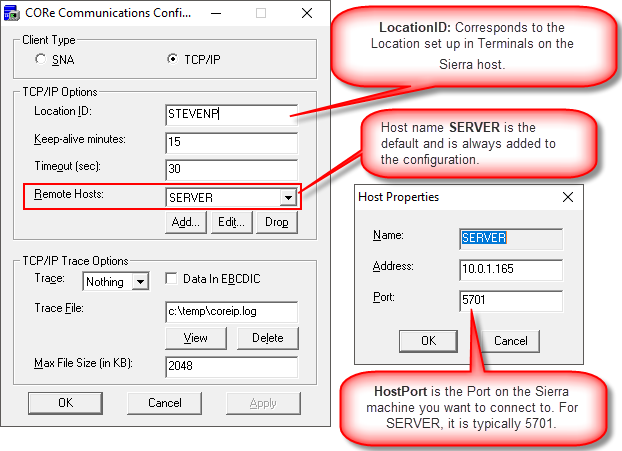
The Parameters correspond to the CORe Communications as shown below.
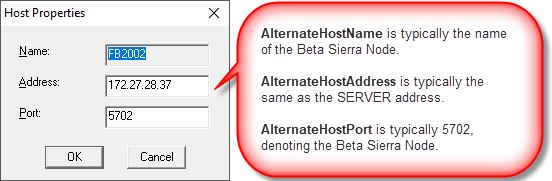
If you need an alternate Remote Host, use the Alternate parameters, as shown below.