Life Cycle of a Ticket |
  

|
Navigation: »No topics above this level«
Life Cycle of a Ticket |
|
A ticket goes through several stages in the process of being completed. Help Desk includes four identifiable system statuses—Submitted, Modified, Awaiting Response/Resolved, and Closed—but there is more to the cycle than the system indicates. Intermixed within the three statuses are additional undocumented statuses that truly define the ticket life cycle.

1.Submitted Status. The bank (Customer Contact) creates and submits a ticket via Help Desk with a request. This ticket has not been claimed by a Client Services Consultant at FPS GOLD when the ticket is in a "Submitted" status.
2.Modified Status. A Client Services Consultant claims the ticket and actively works on the ticket to provide a solution to your request.
3.Awaiting Response. A ticket may be placed in “Awaiting Response” while the Client Services Consultant is waiting for additional information from the bank Customer Contact.
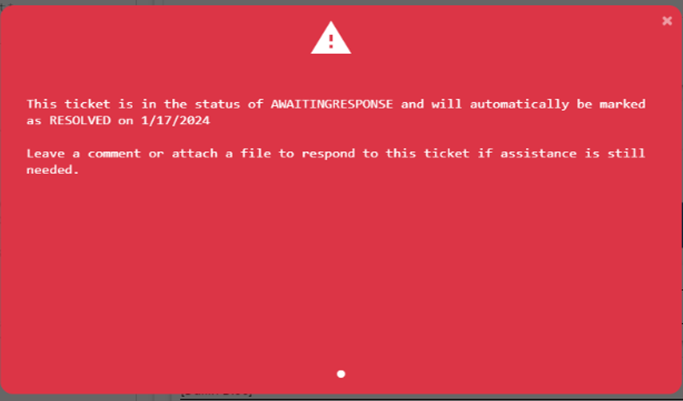
A note will appear in the chat log indicating that FPS GOLD is waiting for additional information. When a Bank Customer Contact navigates to a ticket that is awaiting a response, a red pop-up will appear on the ticket notifying you the ticket is awaiting response. The Customer Contact can close the message by clicking the “X.”
A red tab will also appear at the top of the ticket and will show a similar “Awaiting Response” message.
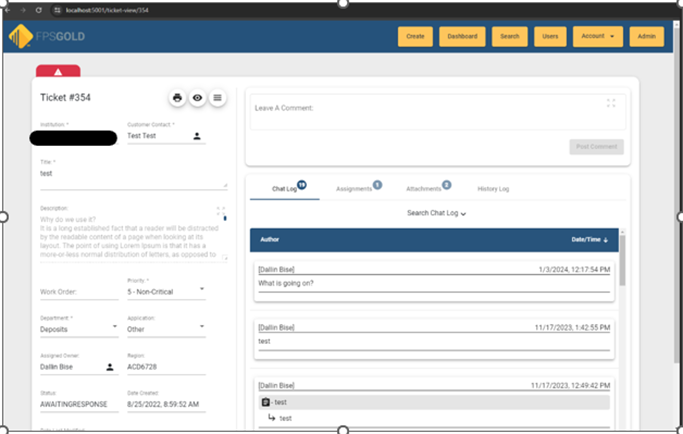

A ticket in “Awaiting Response” status will remain in the status for five business days and will then be updated to a “Resolved” status.
Note: If a comment is added by an FPS GOLD employee while a ticket is in an "Awaiting Response" status, it changes the "Awaiting Response" status date to five business days from the date of the last comment made on the ticket.
4.Resolved. A ticket may be placed in “Resolved” status when a solution has been provided by the FPS GOLD Client Services Consultant to the bank Customer Contact for review and approval.
A note will appear in the chat log stating the resolution and asking for the bank employee to close the ticket if they are satisfied with the solution.
When a bank Customer Contact navigates to a resolved ticket, a red pop-up will appear on the ticket notifying the Customer Contact that the ticket is resolved. The customer contact can close the message by clicking the “X.” A red tab will also appear at the top of the ticket and will show a similar informational message.
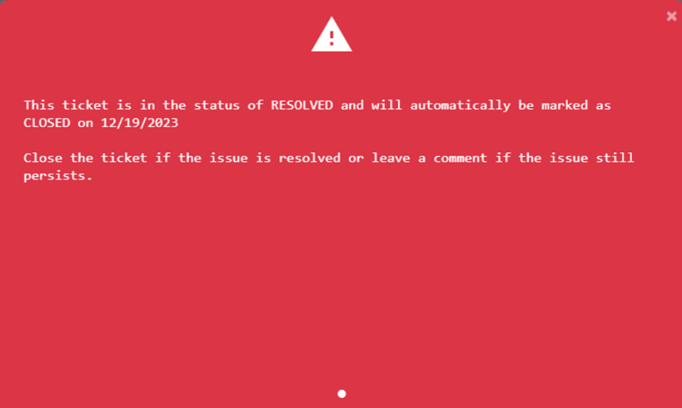
A red tab will also appear at the top of the ticket and will show a similar “Awaiting Response” message (see previous page).
Once a ticket has been placed in “Resolved” status, it will remain in this status for five business days, and the ticket will then be closed automatically.
Note: If a comment is added by an FPS GOLD employee while a ticket is in an "Awaiting Response" status, it changes the "Awaiting Response" status date to five business days from the date of the last comment made on the ticket.
5.Closed Status. The issue has been resolved satisfactorily for the customer. Both FPS GOLD Client Service Consultants and Customer Contacts can close tickets. A closed ticket cannot be reopened.