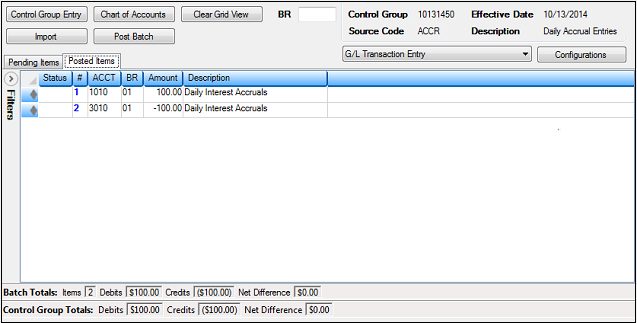
Posted Items tab |
  
|
Navigation: App. F - G/L Transaction Entry in CIM GOLD > Transaction Entry Screen Details >
Posted Items tab |
|
Once transactions have been successfully posted to the General Ledger using the Transaction Entry screen in CIM GOLD, the Posted Items tab displays the transactions. These transactions cannot be changed from this tab.
If you need to make any further changes to the transactions that were posted, you would need to access the Transaction Correction screen (function 12) in the General Ledger system in GOLDVision and make changes there.
You can save a record of the posted items by right-clicking in the list view and selecting one of the following Export options:
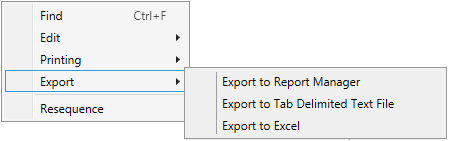
•Export to Report Manager: Exports the information in the list view to FPS GOLD's Report Manager program.
•Export to Tab Delimited Text File: Exports the information to a text file with tabs as the delimiter (spacer) between fields. You can open the file in any application you need.
•Export to Excel: Exports the information to Microsoft® Excel.
You can also print the posted items information by right-clicking in the list view and selecting one of the Printing options.
The following is an example of the Posted Items tab: